Blog
SuqMall Merge PDF Tool Guide: Combine PDFs Online Without Signup – SuqMall

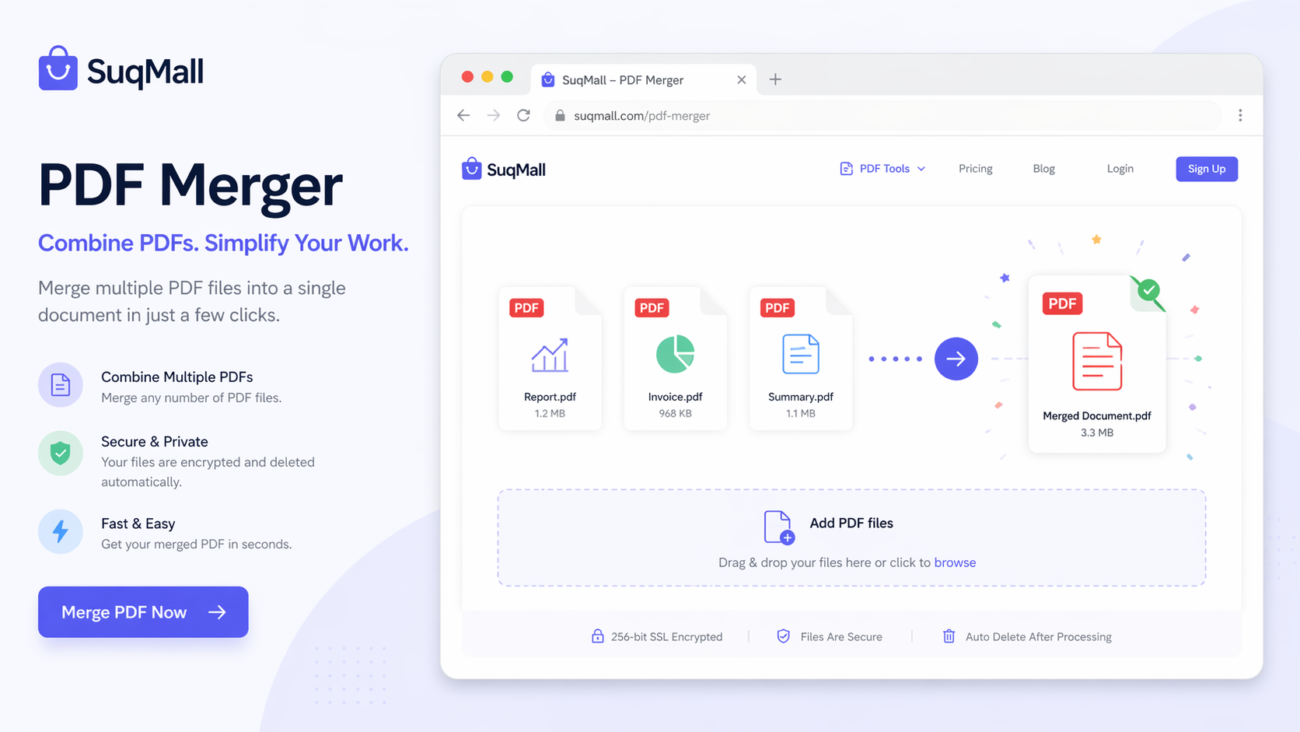
Merge PDF files quickly, securely, and completely free with SuqMall’s online PDF merger. Whether you’re a student in Riyadh, a business professional in Jeddah, or anyone around the world, this tool lets you combine multiple PDF documents into a single file in seconds — without any registration, watermarks, or hidden fees. Keep reading to discover how our free PDF merger can simplify your document workflow.
Why a Reliable Online PDF Merger Matters
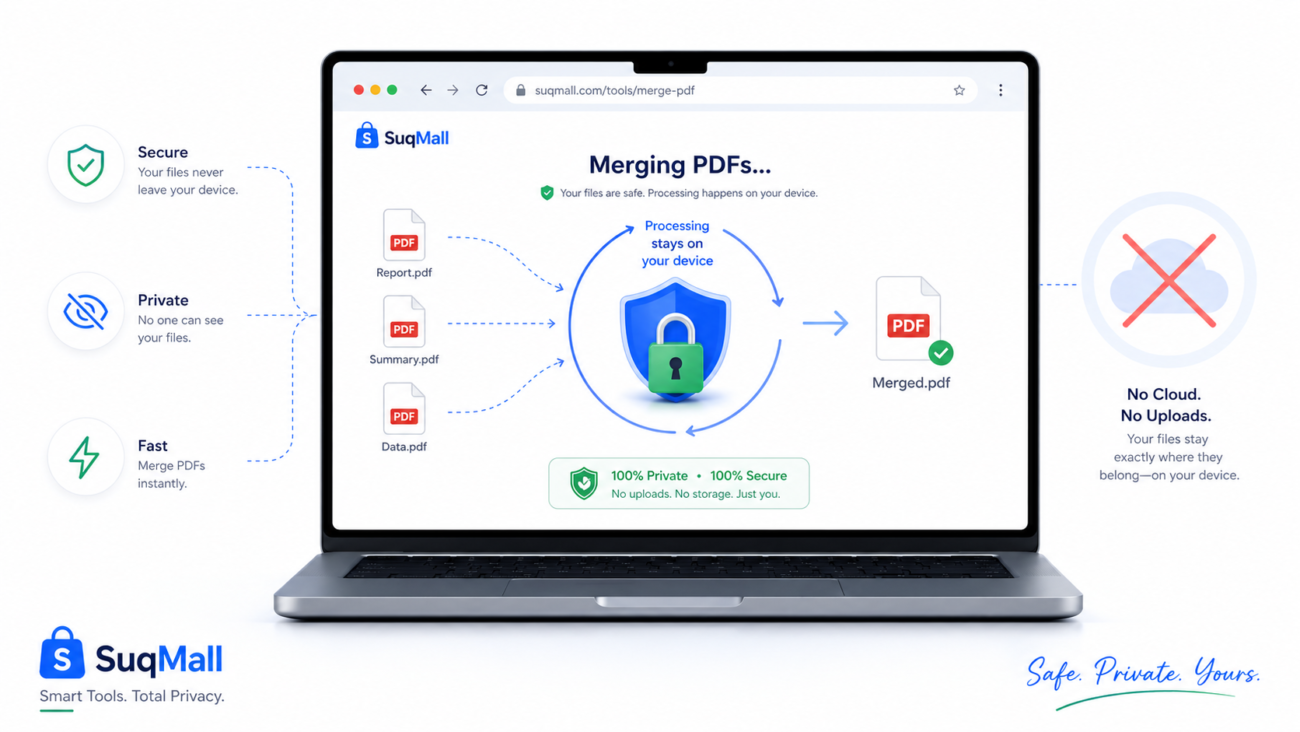
Handling separate PDFs can be frustrating. You might have a report split into chapters, signed contracts that need to be submitted as one file, or study notes scattered across multiple downloads. Instead of relying on complicated software, you can merge PDFs online with a tool that respects your privacy and works instantly. SuqMall’s PDF combiner is designed to deliver exactly that — a clean, trustworthy, and lightning-fast merging experience accessible from any device, anywhere.
Key Features of SuqMall’s Merge PDF Tool
Here’s what makes our online merge PDF solution stand out:
- 100% Free With No Limitations
- There are no subscription plans, no “pro” upgrades, and no payment walls. Merge as many PDFs as you need without ever reaching a usage cap.
- Benefit: Students, freelancers, and small business owners in Saudi Arabia and beyond can use the tool daily without worrying about costs.
- No Registration or Login Required
- You never need to create an account. Just visit the page, upload your files, merge, and download.
- Benefit: Your privacy is fully protected — there’s no email collection, no tracking, and no personal data storage.
- No Watermarks or Branding
- The merged output is a clean, professional PDF without any “SuqMall” stamps or distracting overlays.
- Benefit: Ideal for official documents, client proposals, and academic submissions that must look polished.
- Fully Private & Secure – Files Stay on Your Device
- All processing happens locally in your browser using client‑side technology. Your PDFs are never uploaded to any server.
- Benefit: Confidential business reports, medical records, or legal contracts remain completely safe. Even when using public Wi‑Fi in a café in Riyadh, your data stays private.
- Drag‑and‑Drop Simplicity
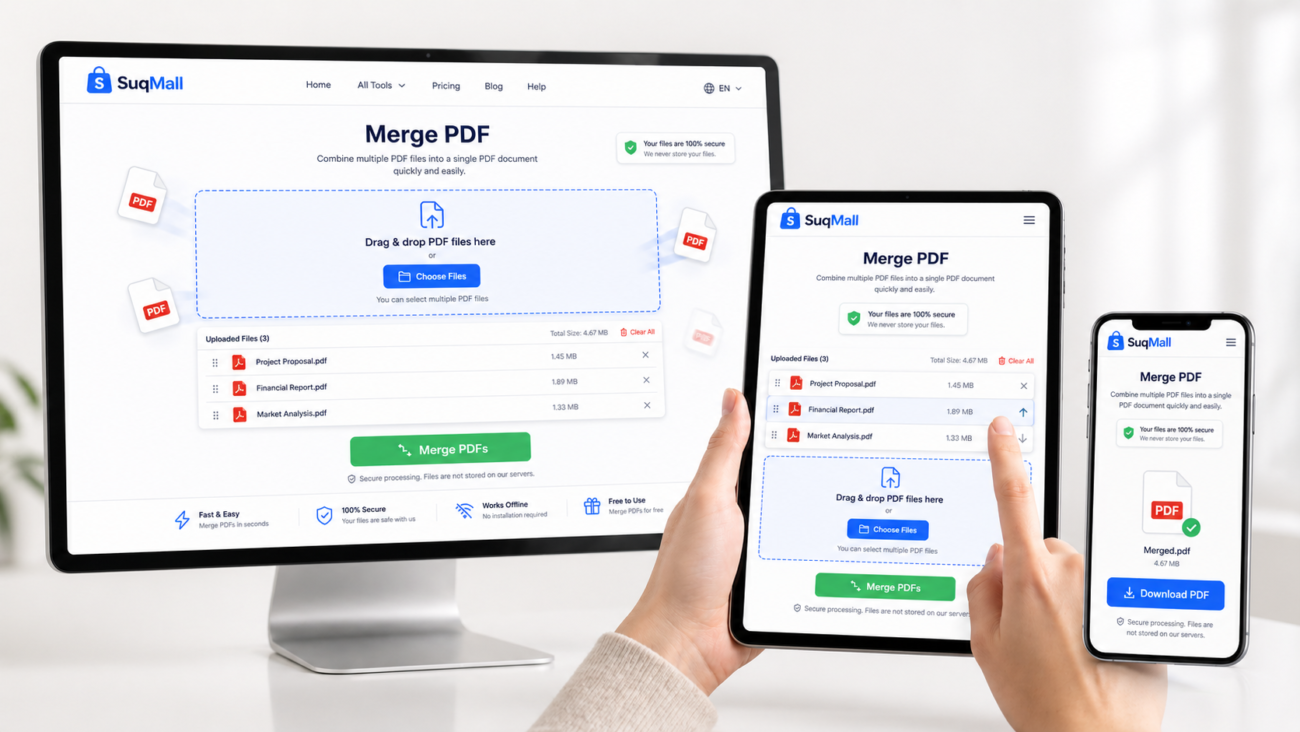
- Upload files by dragging them into the tool, or click to browse. Accepted files are listed instantly with their names and sizes.
- Benefit: No learning curve — anyone can merge documents in seconds, even on a mobile phone.
- Reorder and Remove Files Easily
- After uploading, you can drag list items to change the merge order, or use the up/down buttons. Remove any PDF with one click.
- Benefit: Perfect control over the final document sequence without having to re‑upload anything.
- Fast Processing, Even With Large Files
- An optimized merging engine powered by the PDF‑lib library ensures high performance. Files up to 100 MB each and a combined total of 500 MB are handled smoothly.
- Benefit: Merging a 50‑page report with 10 supporting documents takes only seconds on a modern laptop or smartphone.
- Works on Every Device
- The responsive design adapts flawlessly to desktops, tablets, and mobile phones. Touch‑optimized drag‑and‑drop works on iPad and Android devices.
- Benefit: A business traveller can merge boarding passes and itineraries on their phone before checking in at the airport.
- Preserves Original Quality
- The tool does not compress, resize, or alter the content of your PDFs. The output looks exactly like the originals.
- Benefit: Critical when merging high‑resolution design portfolios, architectural drawings, or print‑ready marketing materials.
- Clear Error Handling
- Invalid, corrupted, or password‑protected files are flagged with helpful messages so you can fix them before merging.
- Benefit: No wasted time wondering why a merge failed; you get clear guidance on what to do next.
How to Merge PDFs Online – A Step-by-Step Guide
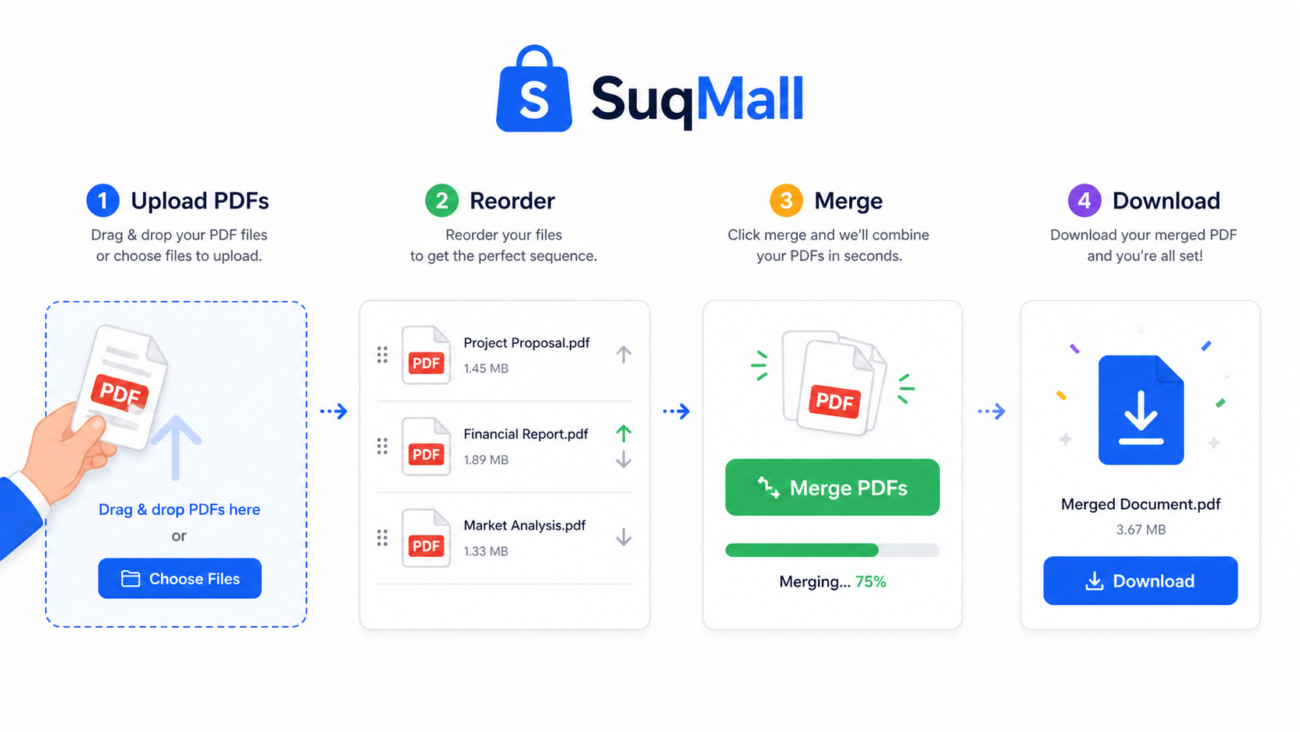
Using the combine PDF files tool is straightforward. Follow these steps to get a perfectly merged document every time.
Step 1: Open the SuqMall Merge PDF Tool
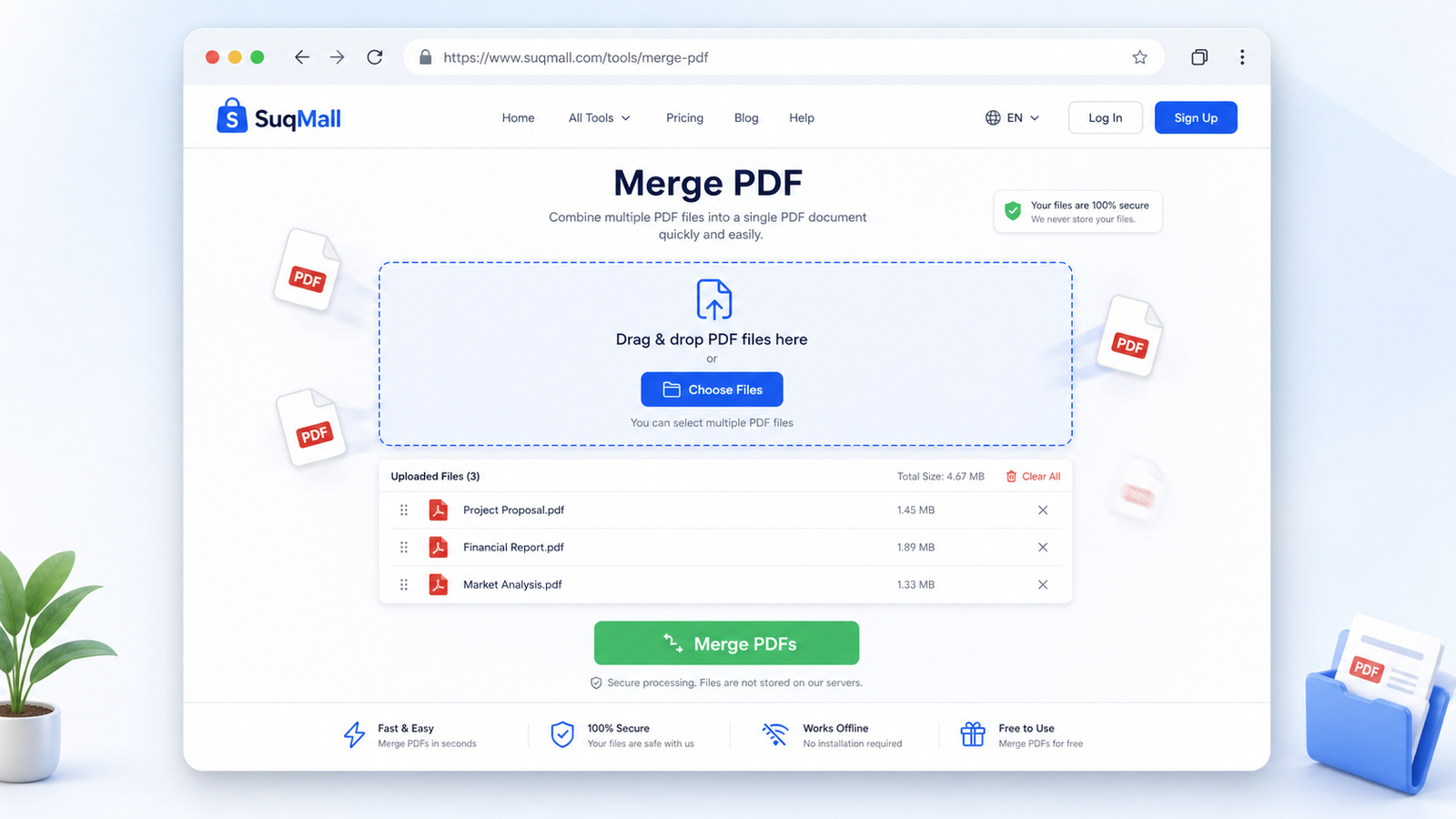
Navigate to the Merge PDF page on the SuqMall website. You’ll see a welcoming interface with a bold “Free Merge PDF Tool” headline and a large drag‑and‑drop area.
Step 2: Upload Your PDF Documents
- Drag & drop your PDF files into the dashed zone.
- Alternatively, click anywhere on the zone to open your device’s file picker.
- You can select multiple PDFs at once. Accepted files appear in a list below the upload area.
Pro Tip: You can also paste copied files directly into the page if your browser supports it.
Step 3: Arrange the Order
- The file list shows every uploaded PDF with its name and size.
- To reorder, simply drag the handle icon (six dots) next to a file name and move it up or down.
- On mobile, tap and hold the handle, then drag. You can also use the arrow buttons to shift a file one position.
Best Practice: Arrange your documents in the exact page sequence you want. For example, if you’re combining a cover page, a report body, and an appendix, make sure the cover page is first in the list.
Step 4: Remove Unwanted Files (if needed)
Click the “✕” button next to any file to remove it. The “Clear All” button resets the entire list. This helps when you accidentally upload the wrong version of a document.
Step 5: Click “Merge PDFs”
When you’re satisfied with the order, click the green Merge PDFs button. A progress bar appears while the tool combines your documents. This typically takes only a few seconds.
Note: If a file is password‑protected, corrupted, or not a valid PDF, you’ll see a notification. Remove or replace the problematic file and try again.
Step 6: Download Your Combined PDF
Once the merge completes, a success message appears along with a vibrant blue Download Merged PDF button. Click it to save the final file to your device. The download starts immediately; you can rename the file as needed.
Extra Tip: After downloading, you can continue adding new files and performing additional merges without refreshing the page.
Practical Examples & Use Cases
Our merge PDF tool fits into countless everyday scenarios. Here are a few real‑world examples:
1. University Student in Riyadh
Sara is a master’s student who has to submit her thesis as a single PDF. She has separate chapters, a bibliography, and scanned approval forms. She drags them into SuqMall, arranges them in the correct order, and downloads the final thesis in under a minute — completely free and without a watermark.
2. Small Business Owner in Jeddah
Ahmed runs a graphic design studio. When sending a client proposal, he combines the project brief, design mock‑ups, and contract into one polished PDF. The absence of watermarks keeps his submission professional, and he appreciates that no sensitive files leave his device.
3. HR Manager Processing Contracts
Fatima handles onboarding documents and needs to merge signed employment letters, ID copies, and policy documents into a single employee record. She uses the tool on her tablet while on the go, reorders the pages with a simple drag, and emails the merged file instantly.
4. Traveller Archiving Travel Documents
A frequent flyer merges flight tickets, hotel confirmations, and travel insurance into one PDF for easy access at immigration checkpoints. The tool’s mobile‑friendly design makes this possible even without a laptop.
5. Legal Professional Bundling Case Files
An attorney in Dubai combines scanned evidence documents, case summaries, and court forms into one neat PDF. Because the processing is entirely local, sensitive case details never risk exposure through cloud uploads.

Frequently Asked Questions About Our Merge PDF Tool
What is a PDF merger?
A PDF merger is an online service that lets you combine two or more PDF files into a single document. Our SuqMall tool does this directly in your browser without installing any software, preserving the original quality and page order.
Is this tool really free?
Yes. There are no hidden costs, trial limits, or premium versions. You can use the free PDF merger unlimited times with no catch. It’s completely free for personal and commercial use.
Do I need to register or create an account?
No. You never need to sign up, log in, or provide any personal information. Just visit the page, merge your files, and download the result.
Are my PDF files safe and secure?
Absolutely. All merging takes place locally on your device. Your files are never uploaded to a server, cloud, or third party. When you close the browser tab, all data is permanently gone. This makes the tool exceptionally secure, even for confidential business documents.
Can I use this PDF combiner on mobile?
Yes. The tool is fully responsive and works on any smartphone or tablet. The drag‑and‑drop functionality is touch‑optimized, so you can easily reorder and merge PDFs on an iPhone, Android, or iPad.
Is there any limit on file size or the number of PDFs?
For fair use, there are generous limits: each file can be up to 100 MB, and the total combined size cannot exceed 500 MB. You can merge dozens of files at once. For the vast majority of users — students, professionals, and businesses — these limits are more than sufficient.
Does merging affect the quality of my PDFs?
No. The tool preserves the exact content, resolution, and formatting of every page. There is no compression or quality loss.
What happens if I upload a corrupted or password‑protected PDF?
The tool checks each file. If a PDF is encrypted or damaged, you’ll see a clear notification telling you which file caused the issue and why. You can then remove it and proceed.
Conclusion: Experience the Easiest Way to Combine PDFs
SuqMall’s merge PDF online tool gives you everything you need: a free PDF merger that’s fast, private, watermark‑free, and works on any device. Whether you’re preparing an academic paper in Riyadh, a client proposal in Jeddah, or simply organizing personal documents, this tool saves you time and eliminates hassle.
No registration, no hidden fees, and no limits — just upload, arrange, merge, and download. The process is so simple you’ll wonder why you ever used complicated desktop software.
Ready to combine your PDFs?
Visit the SuqMall Merge PDF page now and join thousands of satisfied users who trust our tool for their document needs. Share your experience with friends and colleagues, and let us know how we can make your workflow even smoother.