
Blog
SuqMall Calculator Tool Guide: Your Smart, Unlimited Math Companion

Introduction
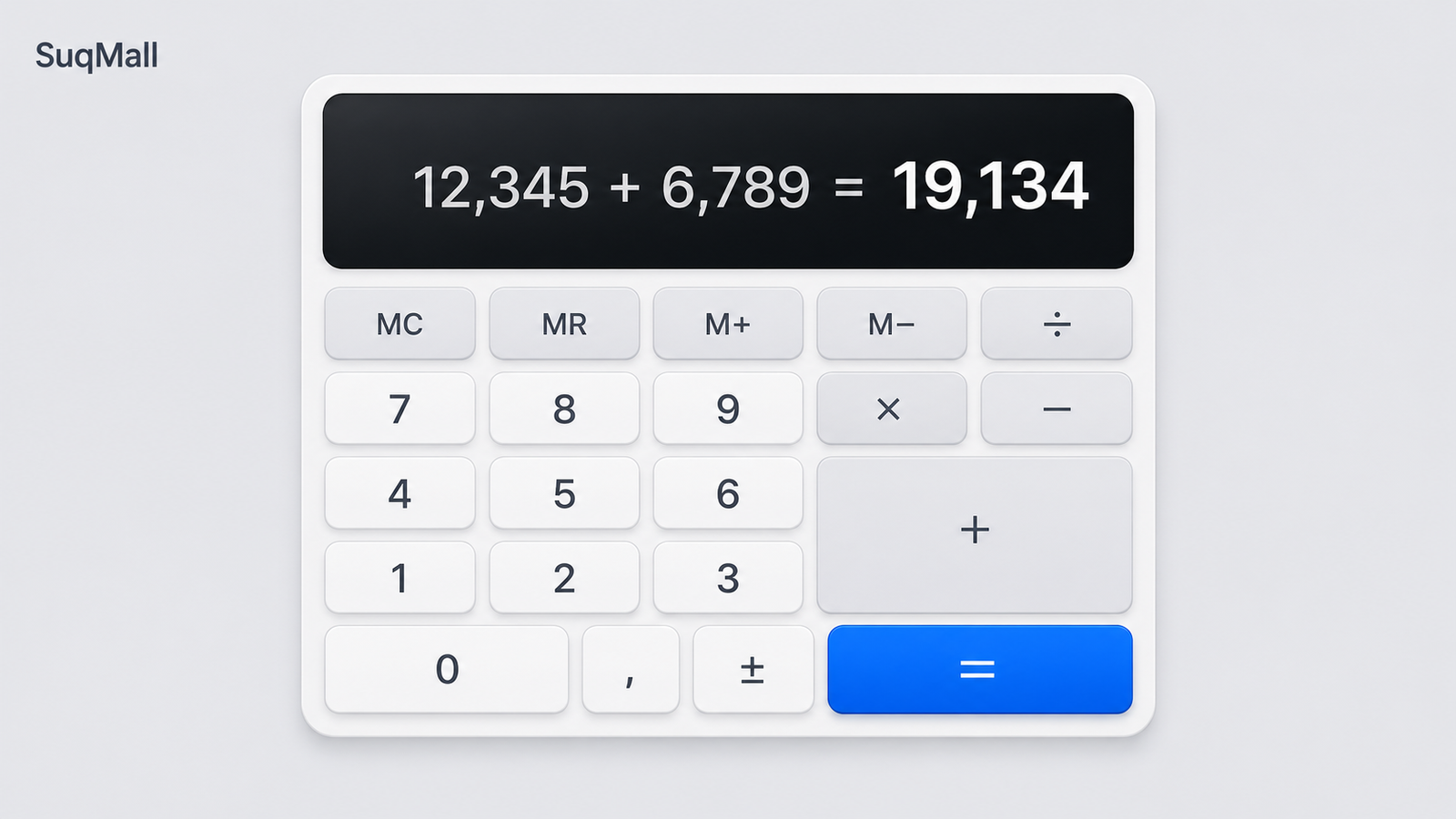
Do you often reach for a calculator while working, studying, or managing daily expenses? The SuqMall Free Online Calculator is built to be your go‑to tool for everything from simple arithmetic to advanced calculations – completely free, with no sign‑up or hidden limitations. Whether you’re a student, a business owner, or simply someone who needs fast and reliable math on any device, this calculator delivers instant results, remembers your calculation history, and even formats large numbers in a way that’s easy to read. Best of all, it runs directly in your browser – nothing to install, no personal data sent anywhere.
If you’ve ever been frustrated by calculators that require a login, show ads, or vanish when you need them most, SuqMall’s tool is the refreshingly simple solution. Read on to discover every feature and learn how you can use it to speed up your work.
Key Features and Their Benefits
Here’s what makes the SuqMall Calculator stand out, and how each feature helps you in real life.
| Feature | What it does | Real‑life benefit |
|---|---|---|
| Basic & Advanced Math | Supports addition, subtraction, multiplication, division, as well as √ (square root), x², xʸ, 1/x, percentages, and parentheses. | Handle everything from splitting a restaurant bill to solving engineering equations. |
| Live Preview | As you type, the calculator instantly shows a preview of the result. | No need to press “=” every time; spot mistakes early and see the outcome as you build the expression. |
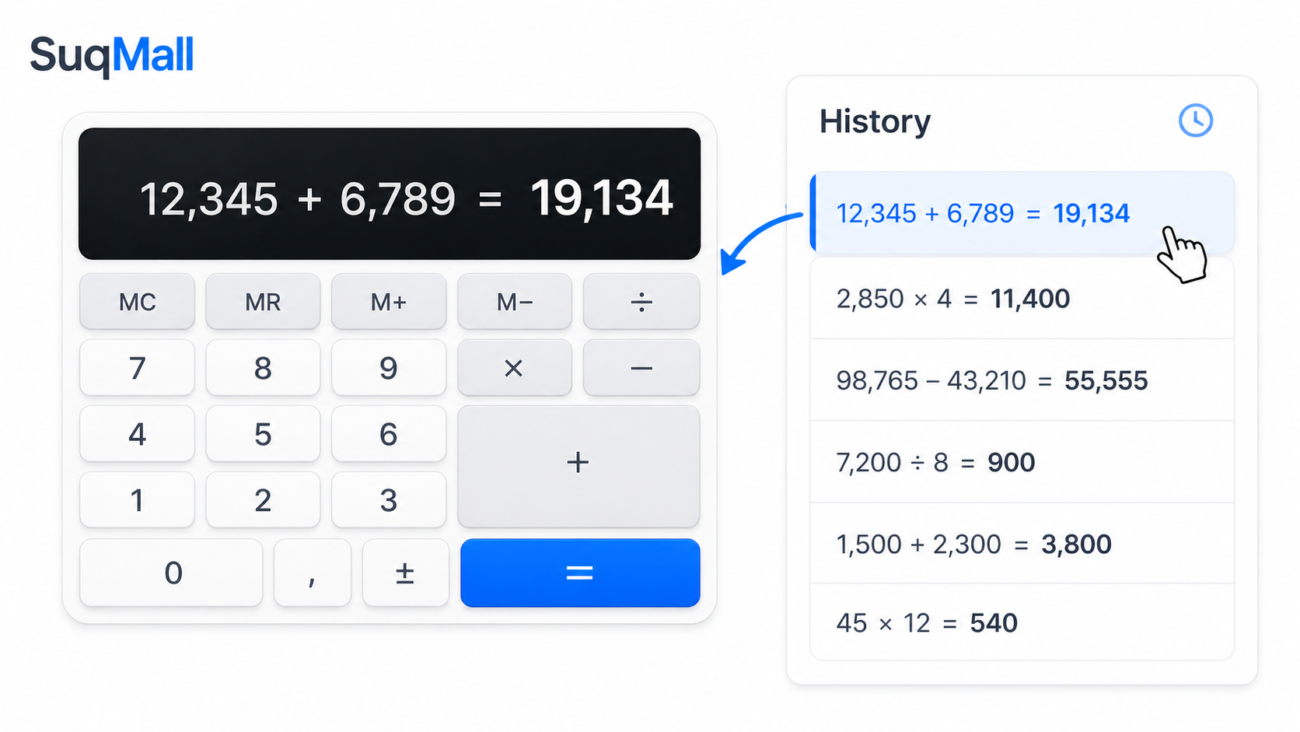
| Calculation History | Every finalized calculation is saved in a side panel. Click any entry to reload it. | Review past work, re‑use previous results, and keep track of multi‑step tasks without re‑typing. |
| Copy Result | One click copies the final answer to your clipboard. | Paste results directly into spreadsheets, documents, or messages – no manual retyping. |
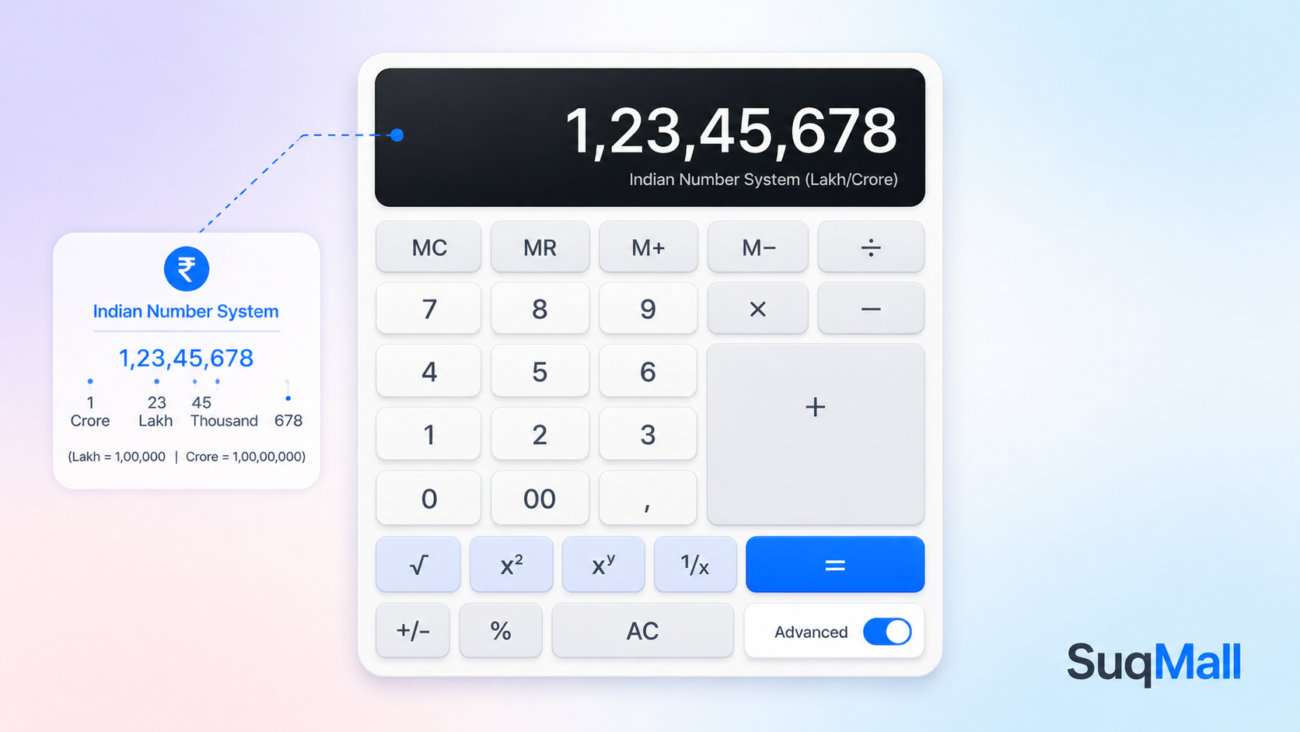
| Indian Number Formatting | Large numbers automatically display with commas for thousands, lakhs, and crores (e.g., 1,23,45,678). | Makes financial amounts, business figures, and large calculations instantly readable, especially for users in India and South Asia. |
| Advanced Options Toggle | An “Advanced” button reveals extra functions (√, x², xʸ, 1/x) without cluttering the main interface. | Access powerful operations only when you need them, keeping the basic layout clean and easy. |
| Keyboard Support | Use your keyboard for numbers, operators, parentheses, Enter to calculate, Backspace to delete, and Escape to clear. | Work faster without ever touching the mouse – ideal for power users and data entry professionals. |
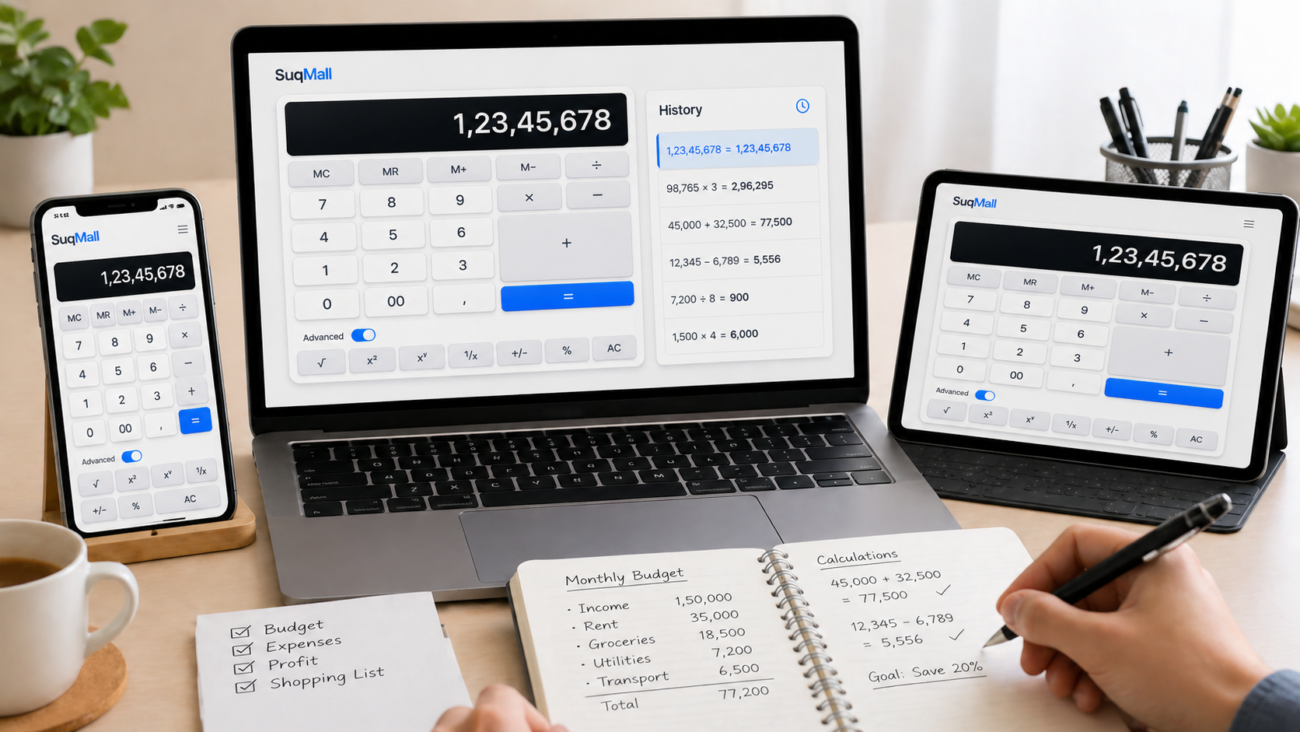
| Mobile‑Responsive Design | Adapts perfectly to any screen size, with large touch‑friendly buttons. | Use one‑handed on your phone while shopping, in a meeting, or on the go – no pinching or zooming required. |
| 100% Free, No Limits | No registration, no subscription, no usage caps. | Start calculating immediately; use it a hundred times a day, forever, without ever hitting a paywall. |
| Private & Secure | All calculations run inside your browser. No data is stored on any server. | Your financial figures and personal math remain completely confidential. |
Step‑by‑Step Guide: How to Use the SuqMall Calculator
- Open the tool – Visit the SuqMall Calculator page. You’ll see the calculator immediately; no log‑in required.
- Enter your expression – Click the buttons or start typing. Use numbers, operators (+, −, ×, ÷), and parentheses as needed.
- Watch the live preview – The display shows a real‑time evaluation of what you’ve typed. You’ll know if the expression is valid before you finalize it.
- Calculate – Press the = button or hit Enter on your keyboard. The result appears in large, clear digits, and the calculation is saved to your history.
- Copy the result – Click the 📋 Copy button to copy the answer to your clipboard. A confirmation toast will appear.
- Review history – On the right side (or below on mobile), scroll through your past calculations. Click any entry to reload that expression and its result.
- Use advanced functions – Click ⚙️ Advanced to reveal square root, square, power, and reciprocal buttons. Toggle again to hide them.
- Clear or correct – Use AC (or Escape) to start fresh. ⌫ (Backspace) removes the last character.
- Work faster with keyboard shortcuts – Numbers, operators, decimal, parentheses, Enter, Backspace, and Escape are all supported.
Practical Tips & Best Practices
- Parentheses first – For complex operations like (5+3)×2, always use parentheses to force the order of operations. The calculator respects BODMAS/PEMDAS rules.
- Percentage handling – Typing
75%automatically converts to 0.75. Use it like200+10%to get 200.10, or200*5%to calculate 5% of 200. - Avoid multiple decimals – A number can only contain one decimal point. If you see an error, check your expression.
- Large numbers – The Indian comma format makes amounts like 1,50,75,000 easy to read. Even if you’re not familiar with the system, it helps separate digits logically.
- Don’t start with an operator – Except for a minus sign (for negative numbers), avoid beginning an expression with +, ×, or ÷.
Common Mistakes to Avoid
- Leaving parentheses unbalanced – the live preview will show “…” and the final evaluation will give an error.
- Using a comma in numbers (e.g., 12,345) – the calculator treats commas as invalid characters; just type the bare digits.
- Forgetting that the percent sign is a suffix, not an operator –
10%alone equals 0.10, not “ten percent of something.”
Real‑World Examples and Use Cases
Example 1: A Small Business Owner
Riya runs a clothing store. She uses the calculator to quickly total daily sales:12,500 + 9,850 + 14,200 = The calculator shows the sum as 36,550 and the Indian formatting (36,550) tells her it’s thirty‑six thousand five hundred fifty rupees. She copies the result and pastes it into her accounting sheet.
Example 2: A Student Solving Algebra
Arjun needs to compute (7 + 3) × (4 − 2) / 5. He types the expression exactly, sees the preview updating, and hits = to get 4. He can then reuse that result for his next problem by clicking it from history.
Example 3: Calculating Discounts While Shopping
Meera sees a shirt priced at ₹2,499 with a 25% discount. She enters 2499 - 2499×25% and immediately gets 1,874.25 – she knows exactly what she’ll pay.
Example 4: An Engineer Using Advanced Functions
Vikram needs the square root of 256 plus the square of 9. He toggles Advanced mode, types √(256) + 9^2 and gets 97 in one step.
These examples show how the same tool adapts to diverse needs – from casual shopping to professional math.

Frequently Asked Questions (FAQs)
1. Is the SuqMall Calculator really free?
Yes, absolutely. There is no registration, no subscription, and no limit on usage. It’s completely free for everyone, forever.
2. Does the calculator work offline?
It requires an internet connection only to load the page. Once loaded, all calculations are performed inside your browser, so you can even use it if your connection drops briefly.
3. How does the Indian number formatting work?
Instead of grouping digits in thousands (1,234,567), the calculator groups the first three digits from the right, then two at a time – 12,34,567 (twelve lakh thirty‑four thousand five hundred sixty‑seven). This makes reading large amounts natural for those used to the lakh/crore system. It also helps all users by breaking long numbers into smaller chunks.
4. Can I clear just one entry from history?
Currently, you can clear the entire history with the “Clear History” button. Individual deletion isn’t supported, but you can simply ignore older entries – the history stores the last 50 calculations.
5. Is my data safe and private?
Yes. All calculations happen locally in your browser. No data is ever sent to a server. Even the history is stored only on your device and can be cleared at any time.
6. Does the calculator support trigonometry or logarithms?
The current version focuses on arithmetic, percentages, powers, and roots. For logs, trig, or other scientific functions, you may need a dedicated scientific calculator – but we’re always looking to expand features based on user feedback.
7. Can I use the calculator with a screen reader?
Yes. The tool includes ARIA labels and clear structure making it accessible to screen readers. Keyboard navigation further improves accessibility.
Conclusion & Call to Action
The SuqMall Free Online Calculator redefines convenience – it’s fast, private, and packed with everything from live preview to advanced math to the unique Indian number display. You never have to create an account or worry about hitting a paywall; just open the page and start calculating.
We built this tool to make your life simpler, whether you’re crunching business figures, helping your children with homework, or checking a quick percentage while shopping.
Try it now – no sign‑up, no limits. Bookmark the page and share it with friends, colleagues, or anyone who could use a smarter calculator. If you have suggestions for additional features, we’d love to hear them. Happy calculating!
Experience the freedom of unlimited math – only on SuqMall.