Blog
SuqMall Color Picker Tool Guide: The Ultimate Free Online Color Tool for Designers, Developers & Creators

Introduction
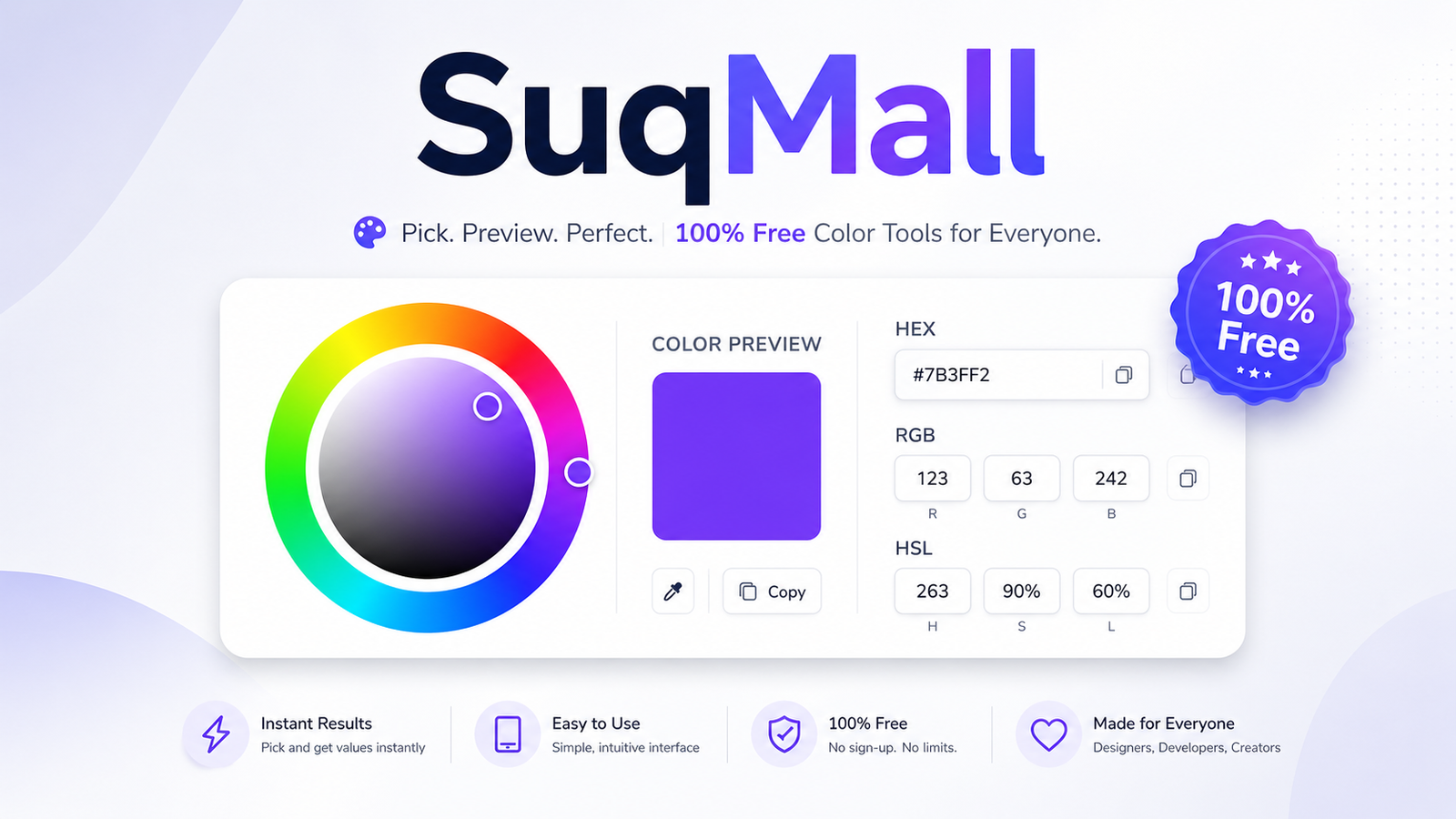
Color is the silent ambassador of your design—it sets the mood, guides the eye, and communicates meaning before a single word is read. Yet picking the perfect hue, converting it across different formats, and checking its accessibility can be frustratingly time‑consuming without the right tool. SuqMall Color Picker was built to solve that problem. It is a free, web‑based color utility that combines a visual color picker, a live format converter, a WCAG contrast checker, a palette generator, and much more—all in one beautifully simple interface. Best of all, there is no registration, no paywall, and no hidden limitation. Anyone, anywhere in the world can use it instantly, whether you are a professional web designer, a front‑end developer, a marketer, or a hobbyist exploring color.
Key Features and Benefits
SuqMall Color Picker packs a surprising amount of power into a clean, responsive design. Each feature is crafted to streamline your color workflow and keep you in the creative flow.
- Visual Color Picker & Opacity Slider
A large, interactive color picker lets you select any color by sight. An opacity slider gives you full control over alpha transparency. Benefit: Fine‑tune colors without memorizing codes; simply drag and click to see the result instantly. - Multi‑Format Live Conversion
HEX, RGB, HSL, RGBA, and HSLA fields update in real time as you change the color. You can also type a value in any format—the tool validates your input and converts it automatically. Benefit: No more manual calculations or separate converters. Copy the exact format your project needs (e.g.,#6366f1,rgb(99,102,241), orhsl(239,84%,67%)) in one click. - Accessibility Contrast Checker
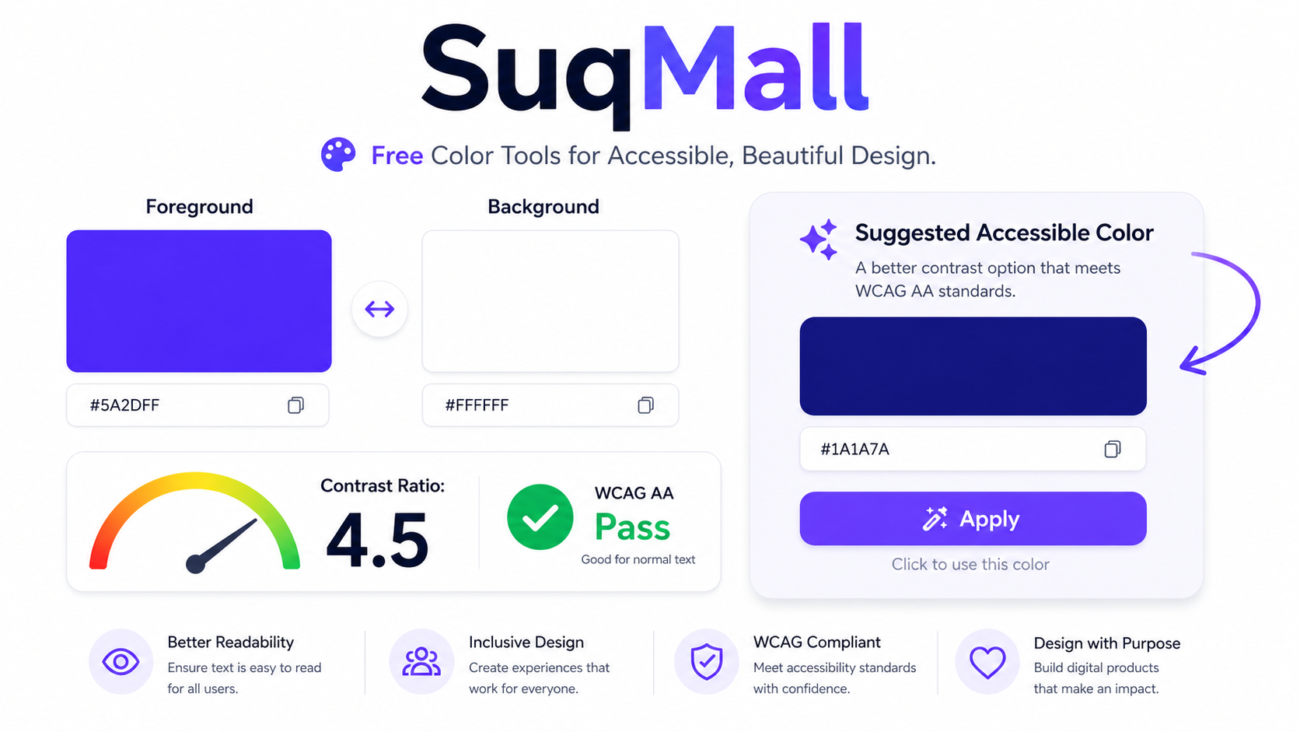
Enter foreground and background colors to see the contrast ratio and WCAG AA/AAA pass/fail status immediately. A “Suggested Accessible Color” appears when contrast falls short, and a “Swap Colors” button inverts your comparison. Benefit: Ensure your text, buttons, and backgrounds meet global accessibility standards (WCAG 2.1), protecting your brand from legal risk and making your content usable for everyone, including users with visual impairments. - Smart Palette Generator
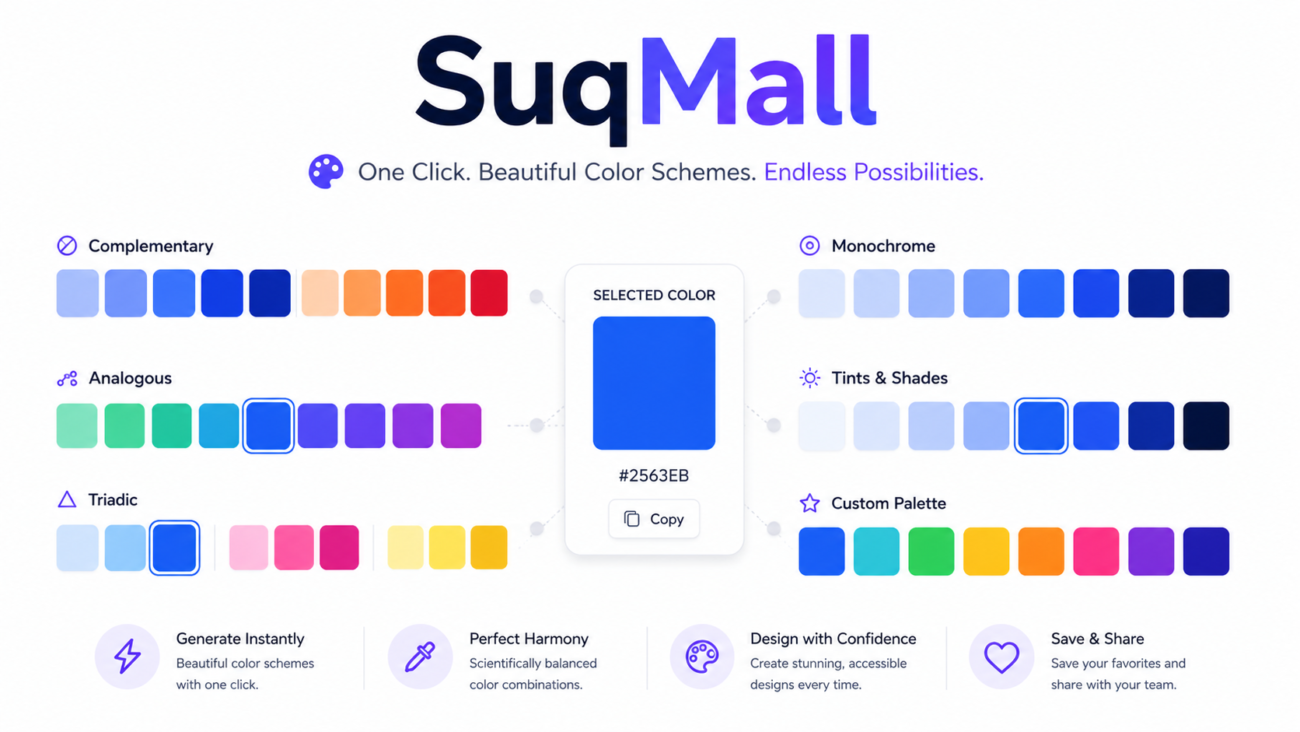
Generate harmonious color families with a single click: complementary, analogous, triadic, monochrome, tints, and shades are all displayed as clickable swatches. Benefit: Build consistent, professional color schemes in seconds. Click any swatch to set it as your main color and explore further variations. - Live UI Preview
See your chosen color applied to realistic elements like text, buttons, cards, badges, links, and background blocks. Benefit: Understand how a color will look in context before implementing it in your design mockups or code. - History & Favorites
Recent colors are saved automatically, and you can permanently store favorites. All data lives in your browser’s local storage—nothing is sent to a server. Benefit: Reuse brand colors or past project palettes instantly, even after closing the browser. - Export & Sharing
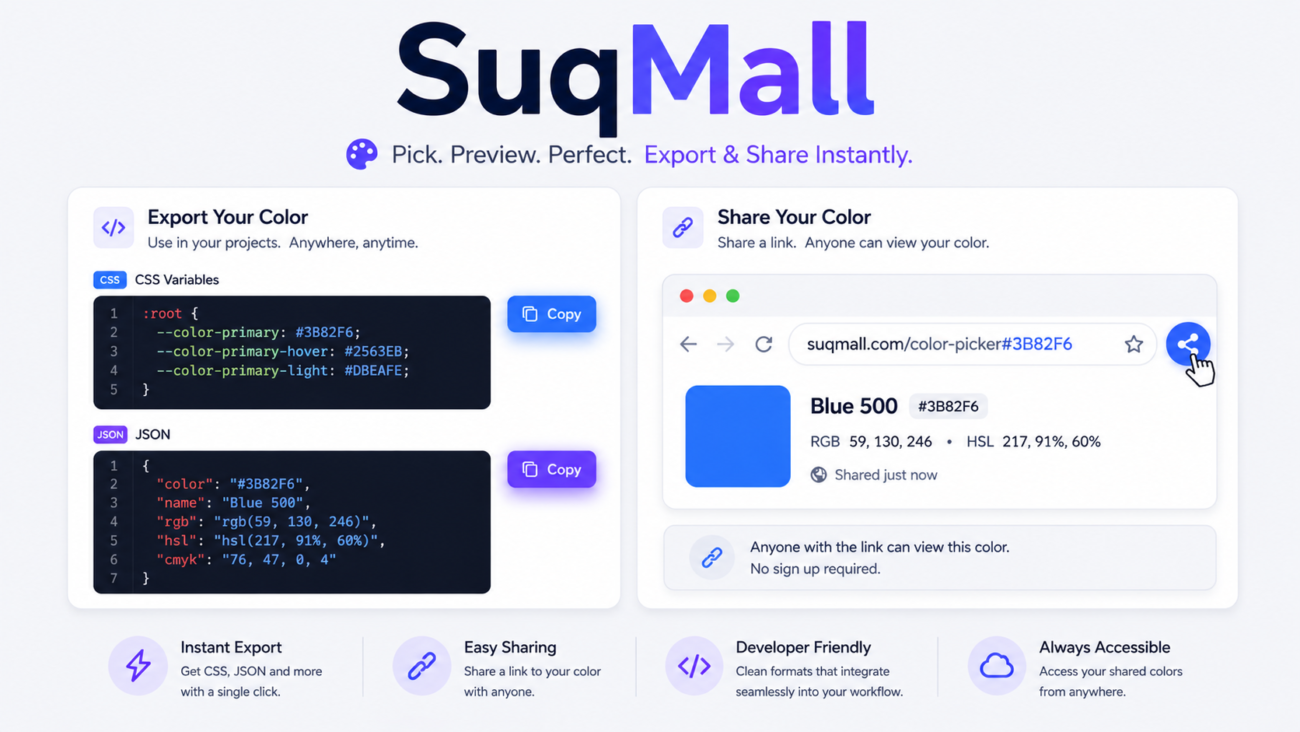
Copy ready‑to‑use CSS variables or a JSON object containing all formats. The URL updates with the current color, so you can share a working link with colleagues. Benefit: Hand off exact color specifications to developers seamlessly, or document your color decisions without extra tools. - Dark Mode, Reset, and Responsive Design
Toggle between light and dark themes, reset everything to a default state, and enjoy a fully mobile‑friendly layout. Benefit: Work comfortably in low‑light environments and on any device, from a desktop monitor to a smartphone. - 100% Free – No Hidden Fees
The entire tool is free, with no registration, no subscription, and no feature gating. Benefit: Zero commitment. Use it daily, professionally, or casually without ever hitting a paywall.
How to Use SuqMall Color Picker – Step‑by‑Step Guide
Getting started takes seconds. Follow these steps to become a power user.
- Open the Tool
Visit the SuqMall Color Picker page on any modern browser. The default color loads immediately. - Pick a Base Color
Use the large color input (click the colored square) to visually choose a hue, or type a HEX code directly into the HEX field. The large preview block updates in real time. - Adjust Opacity (If Needed)
Drag the “Opacity” slider to add transparency. The RGBA and HSLA fields automatically reflect the change. - Copy the Format You Need
Review the five format fields. Each one has a dedicated “Copy” button. Click the button next to the format you want (e.g., “Copy HEX”) and the value is saved to your clipboard. A small toast confirms the copy. - Check Accessibility Contrast
Set a foreground color (e.g., your text) and a background color using the dedicated pickers or text fields. The contrast ratio appears immediately. If “Fail” appears, look at the “Suggested Accessible Color” and click “Apply” to improve it automatically. - Generate a Palette
Click “Generate Palette”. Scroll through complementary, analogous, triadic, monochrome, tints, and shades. Click any swatch to apply that color to the main workspace. - Save or Reuse Colors
As you work, recent colors appear under “Recent Colors”. To keep a color permanently, click “Save Favorite”. Both sections remain saved even when you close your browser. - Export or Share
Need the color in code? Hit “Export CSS” to copy CSS custom properties, or “Export JSON” for a full data object. To share your current selection, simply copy the page URL—the color is embedded in the link.
Practical Tips & Best Practices
- Use the “Swap Colors” button in the accessibility panel to quickly test if swapping foreground and background improves contrast.
- Bookmark the tool with your brand’s primary color already in the URL (e.g.,
…/#3b82f6) for instant access. - Use the Opacity slider when designing overlays, glass‑morphism effects, or subtle hover states.
- If you type a shorthand HEX like
#fff, the tool will expand it automatically. Avoid trailing spaces or unsupported formats. - The tool is fully keyboard‑accessible. Press Tab to move through all interactive elements, and Enter or Space to activate them.
Examples and Use Cases
Scenario 1: A Web Designer Ensuring Accessibility Compliance
Maria is redesigning a healthcare website. The brand uses a bright orange (#f97316) for call‑to‑action buttons. She opens SuqMall Color Picker, enters the orange as the foreground and white as the background. The contrast ratio shows 3.18 – a WCAG AA fail. The tool immediately suggests a darker shade of orange (#c2410c). Maria clicks “Apply” to adopt the accessible variant and updates the design system with confidence, knowing the buttons are now readable for users with low vision.
Scenario 2: A Front‑End Developer Building a React Component
Alex needs to convert a design mockup’s HSL color into RGBA for a box‑shadow effect. He types hsl(217, 91%, 60%) into the HSL field. The tool instantly populates all other formats. He copies the RGBA output, adjusts the opacity slider to 0.3, and pastes the resulting rgba(37, 99, 235, 0.3) directly into his stylesheet—saving several minutes of manual calculation.
Scenario 3: A Small Business Owner Creating Social Media Graphics
Priya runs an online boutique and wants her Instagram stories to use a cohesive, professional palette. She selects her logo’s teal (#0d9488) on SuqMall Color Picker and generates a palette. The monochrome and analogous swatches inspire her to use softened teal tones for backgrounds and vibrant ones for highlights. She copies the HEX codes into Canva, and her story templates suddenly look polished and on‑brand.
Scenario 4: A UX Researcher Presenting a Color Audit
During a product audit, Tom tests the sign‑up form’s “Submit” button. He uses the contrast checker to document the ratio against his team’s light‑gray container backgrounds. For the presentation, he exports the JSON object of each color pair, including their pass/fail statuses, and compiles a report that helps justify a small palette revision. The export feature saves hours of manual note‑taking.

Frequently Asked Questions (FAQ)
Q: Is the SuqMall Color Picker really free?
A: Absolutely. There is no registration, subscription, or hidden fee. All features are fully available to everyone, forever.
Q: What color formats does the tool support?
A: HEX, RGB, HSL, RGBA, and HSLA. You can enter a value in any of these formats and the tool will automatically convert and validate it.
Q: Can I check accessibility contrast between two colors?
A: Yes. The built‑in accessibility checker calculates the contrast ratio against WCAG AA and AAA standards. It also provides a suggested accessible alternative if the contrast is too low.
Q: Does the tool work on mobile phones?
A: Yes. The interface is fully responsive and adapts beautifully to any screen size. All buttons and inputs remain easy to tap on smartphones and tablets.
Q: Can I save my favorite colors?
A: Yes. Click “Save Favorite” to store a color permanently in your browser’s local storage. Recent colors are saved automatically, and you can clear them anytime.
Q: How do I export colors for CSS or development?
A: Use the “Export CSS” button to copy CSS custom properties (e.g., --color-primary: #…). Use “Export JSON” to copy a structured object containing all format values.
Q: Is my color data sent to any server?
A: No. All color data, history, and favorites are stored locally in your browser. The tool works entirely client‑side; your information never leaves your device.
Q: Can I share a specific color with a colleague?
A: Yes. The page URL updates automatically with the current color selection. Simply copy the URL and send it—anyone who opens it will see exactly the same color and settings.
Q: Who is this tool designed for?
A: Web designers, front‑end developers, UI/UX designers, digital marketers, content creators, and anyone who works with color. The interface is intuitive enough for beginners yet powerful enough for experts.
Conclusion: Your All‑in‑One Color Companion
The SuqMall Color Picker eliminates the friction of jumping between multiple color utilities. With its real‑time format conversion, intelligent contrast checking, harmonic palette generation, and instant export options, it turns color management into a seamless, enjoyable task. Best of all, it remains 100% free and privacy‑respecting—no accounts, no data collection, no restrictions. Whether you are refining a design system, developing an accessible user interface, or simply exploring beautiful colors, this tool puts everything you need on one clean screen.
Ready to experience the difference? Visit the SuqMall Color Picker today, pick your first color, and see how effortlessly the right tool can spark your creativity. Bookmark it, share it with your team, and never struggle with color again. Try it now and let your designs shine—because brilliant color should always be within reach.