
Blog
Free Online Word Counter Web Tool Guide: The Ultimate Free Online Text Analyzer


Introduction
In today’s digital Word Counter, whether you’re a student, writer, blogger, or professional, knowing exactly how many words and characters you’ve written is crucial. Meet the Word Count Tool from SuqMall.Net – your new go-to solution for all text analysis needs. This powerful, privacy-focused tool provides instant, accurate word counts and text analysis without any limitations or hidden costs.
Why struggle with manual counting or unreliable tools when you can get precise results in seconds? Our tool doesn’t just count words – it gives you comprehensive insights into your writing, all while keeping your data 100% private and secure on your own device.
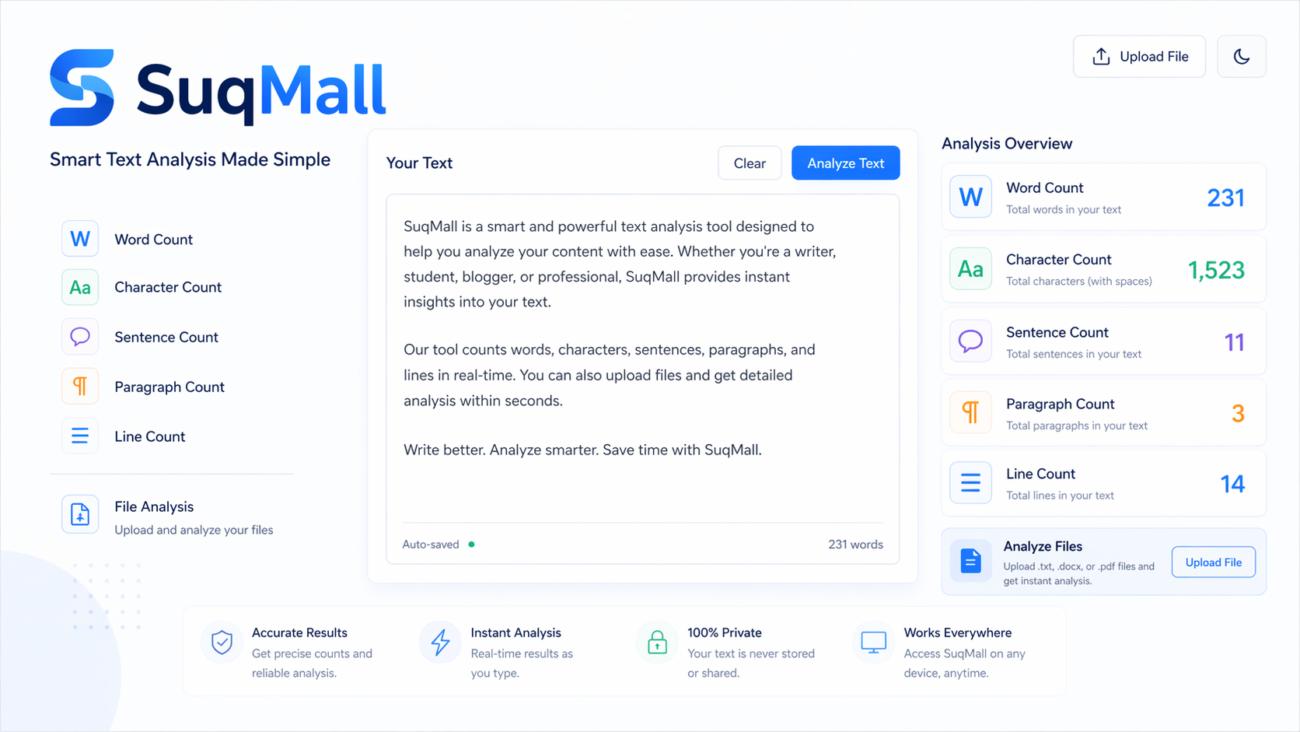
Features and Benefits
🔍 Comprehensive Text Analysis
- Word Count: Get accurate word counts for any text, from short paragraphs to lengthy documents
- Character Counting: Track characters both with and without spaces – perfect for social media posts with character limits
- Sentence & Paragraph Analysis: Understand your writing structure and readability
- Line Counting: Essential for code, poetry, or any line-based writing
📁 Multi-Format File Support
- Text Files (.txt): Perfect for plain text documents
- HTML Documents: Analyze web content and code
- Rich Text Format (.rtf): Preserve formatting while counting
- OpenDocument Text (.odt): Open-source document format support
- Limited PDF & DOCX Support: Basic text extraction from popular formats
🚀 Advanced Functionality
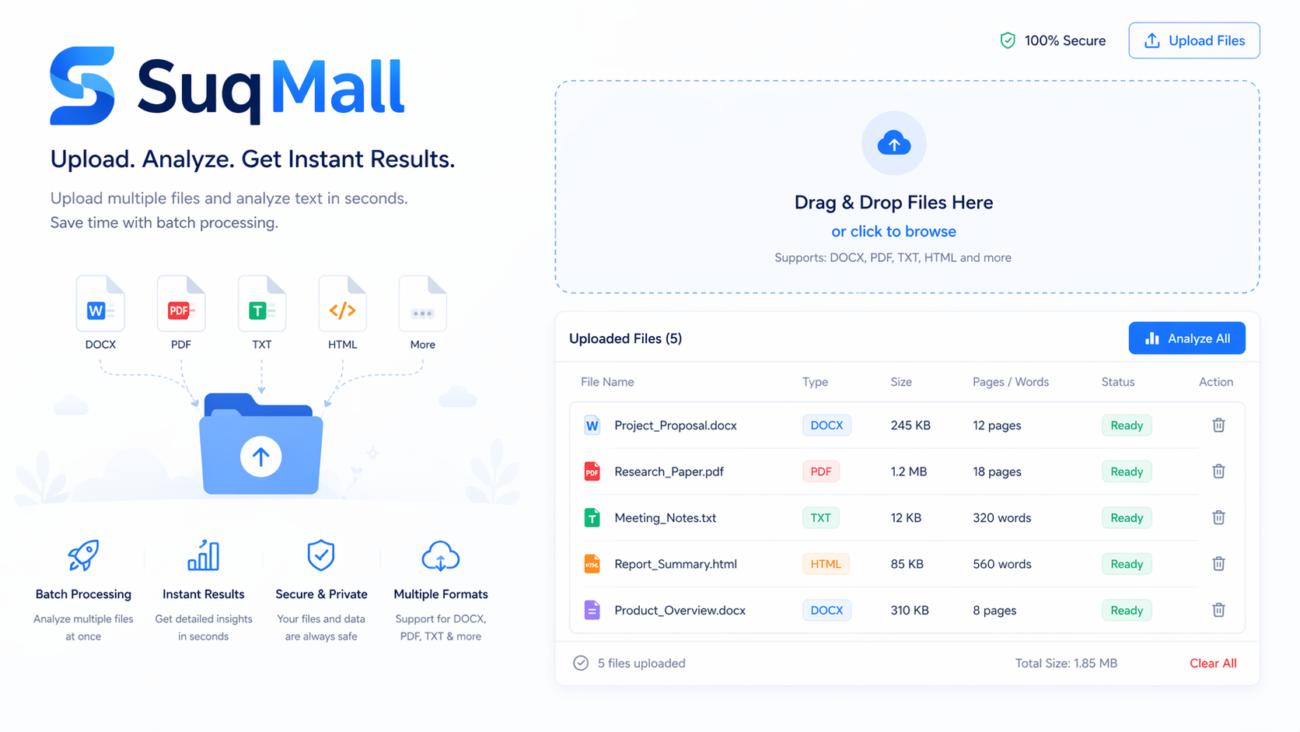
- Batch Processing: Upload and analyze multiple files simultaneously
- Drag & Drop Interface: Simple, intuitive file management
- Real-time Results: Instant analysis with detailed breakdowns
- Export Options: Download results as TXT or CSV files
- Clipboard Integration: Copy results with one click
🔒 Privacy & Accessibility
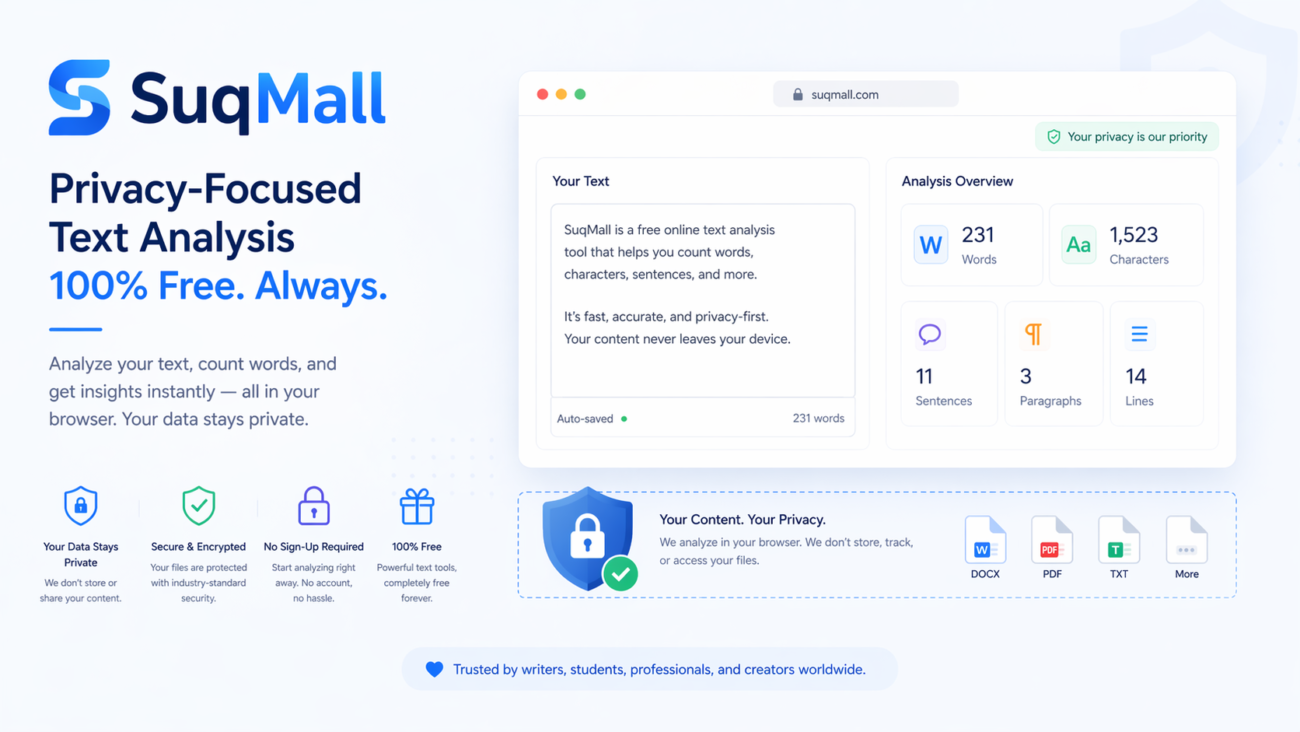
- 100% Client-Side Processing: Your files never leave your computer
- No Registration Required: Start using immediately without sign-up
- Completely Free: No hidden fees, no usage limits
- Dark Mode Support: Comfortable viewing in any lighting
- Mobile Optimized: Works perfectly on all devices
How to Use the Word Count Tool: Step-by-Step Guide
Getting Started
- Access the Tool: Visit the Word Count Tool on SuqMall.Net
- Choose Your Input Method: Select between text input or file upload
- Begin Analysis: Click “Count Words” to get instant results
Text Input Method
- Paste Your Text: Copy and paste any text directly into the text area
- Review in Real-time: Watch as basic counts update automatically
- Get Detailed Analysis: Click the count button for comprehensive results
File Upload Method
- Select Files: Click the upload area or drag and drop files directly
- Multiple File Support: Select several files at once for batch processing
- Automatic Processing: The tool analyzes each file individually and provides totals
Best Practices
- For Large Documents: Break them into smaller sections for faster processing
- File Types: Use .txt files for most accurate results with complex documents
- Regular Saves: Analyze your work periodically to track progress
- Export Results: Download your analysis for record-keeping or reporting
Common Mistakes to Avoid
- ❌ Uploading Corrupted Files: Ensure your files are accessible and not corrupted
- ❌ Mixing Formats: Stick to one file type per analysis session for consistency
- ❌ Ignoring Character Limits: Always check character counts for platforms with strict limits
- ❌ Forgetting to Export: Save your results before closing the browser
Real-World Examples and Use Cases
Academic Applications
Student Essay Writing:
Sarah, a university student, needs to submit a 2,000-word essay. Using our Word Count Tool, she tracks her progress throughout the writing process. The paragraph count helps her maintain proper structure, while character counting ensures she stays within the submission system’s limits.
Research Paper Analysis:
Dr. Chen uses the tool to analyze research papers, ensuring abstracts stay within journal requirements and maintaining consistent section lengths throughout the document.
Professional Use Cases
Content Marketing:
Marketing professional Maria manages a team of writers creating blog posts. She uses the batch processing feature to analyze multiple articles simultaneously, ensuring each piece meets the optimal 1,500-2,000 word range for SEO while keeping paragraphs short and readable.
Social Media Management:
Social media manager Tom relies on character counting to craft perfect Twitter threads (280 characters), LinkedIn posts (3,000 character limit), and meta descriptions for SEO (150-160 characters).
Creative Writing
Novel Writing:
Author James tracks his daily writing goals of 1,000 words per day. The tool helps him maintain consistent chapter lengths and monitor his overall progress toward his 80,000-word target.
Script Writing:
Screenwriter Lisa uses line counting to format her scripts properly and ensure dialogue scenes flow naturally with appropriate sentence lengths.
Business Documentation
Technical Writing:
Technical writer Robert ensures all product documentation maintains consistent section lengths and stays within company style guide requirements for sentence and paragraph structure.

Frequently Asked Questions
🤔 Is this tool really free to use?
Absolutely! Every tool on SuqMall.Net is 100% free with no hidden charges, usage limits, or premium upgrades. We believe in providing valuable tools without barriers.
🔒 Are my files and text safe?
Yes, completely secure! All processing happens directly in your browser – your files never leave your device or get uploaded to any server. Your privacy is our top priority.
💻 Do I need to install anything?
No installation required! Our Word Count Tool runs entirely in your web browser. Just visit the page and start using it immediately on any device.
📁 What file types are supported?
We support all major text file formats including .txt, .html, .rtf, .odt, with basic support for .pdf and .docx files. For best results with complex documents, we recommend using plain text format.
⚡ Can I process multiple files at once?
Yes! Our batch processing feature lets you upload and analyze multiple files simultaneously. You’ll get individual file analysis plus combined totals for all uploaded documents.
📱 Does it work on mobile devices?
Perfectly! The tool is fully responsive and works seamlessly on desktop computers, tablets, and smartphones with the same full feature set on all devices.
🎨 Is there a dark mode?
Yes! We offer both light and dark mode options with automatic preference saving, so your eyes stay comfortable in any lighting condition.
Conclusion: Start Counting with Confidence
The Word Count Tool from SuqMall.Net is more than just a simple counter – it’s your comprehensive writing assistant. With its powerful analysis capabilities, multi-format support, and unwavering commitment to privacy, it stands out as the premier choice for anyone who works with text.
Why Choose Our Tool?
- Unlimited Usage: No restrictions, no paywalls, no excuses
- Complete Privacy: Your data stays yours, always
- Comprehensive Analysis: Beyond basic word counting to full text insights
- User-Friendly Design: Intuitive interface that works for beginners and pros alike
- Always Accessible: Available 24/7 on any device with internet access
Ready to Transform Your Writing Workflow?
Try the Word Count Tool today and experience the difference that professional-grade text analysis can make in your writing projects. Whether you’re crafting the next great novel, optimizing website content, or ensuring academic compliance, our tool has you covered.
👉 [Start Using the Word Count Tool Now] – It’s free, instant, and completely private!
Share your experience with us and discover how accurate word counting can elevate your writing to the next level. Have questions or suggestions? We’d love to hear from you – your feedback helps us continue improving our tools for everyone.
Related Posts
SuqMall Word Counter Tool Guide: The Ultimate Writing Companion

SuqMall Text Converter Tool Guide — Free Online Tool by SuqMall
2 thoughts on “Free Online Word Counter Web Tool Guide: The Ultimate Free Online Text Analyzer”
Comments are closed.
Hey, I’ve been trying out 888bet, and it’s pretty cool. Good site to browse and some decent games. Have a look at 888bet when you get a chance!
Yo, heard about utcuong368 and decided to give it a whirl. Not bad at all! Good selection of games and the bonuses seem alright. Might stick around for a bit. Give it a shot! utcuong368